

Trying my hand at creating tunes in Chrome Music Lab.
As part of the ATL Tinkerpreneur bootcamp, I didn’t just work with visuals and images, I also got to experiment with sound and music.
In this activity, I used Chrome Music Lab (particularly the Song Maker) to create a short piece of music, recreating 29 seconds of the song ‘It’s a Small World’ (Disney, 1966)
Chrome Music Lab
I never knew that there was an online music tool by Chrome before this. And it blew my mind at how interactive and easy it was to create a tune. Chrome Music Lab makes music creation simple and fun. You don’t need any musical background to use it. Instead of complex instruments or software, it uses visual blocks, patterns, and interactive tools to help you experiment with sound.
Inspiration
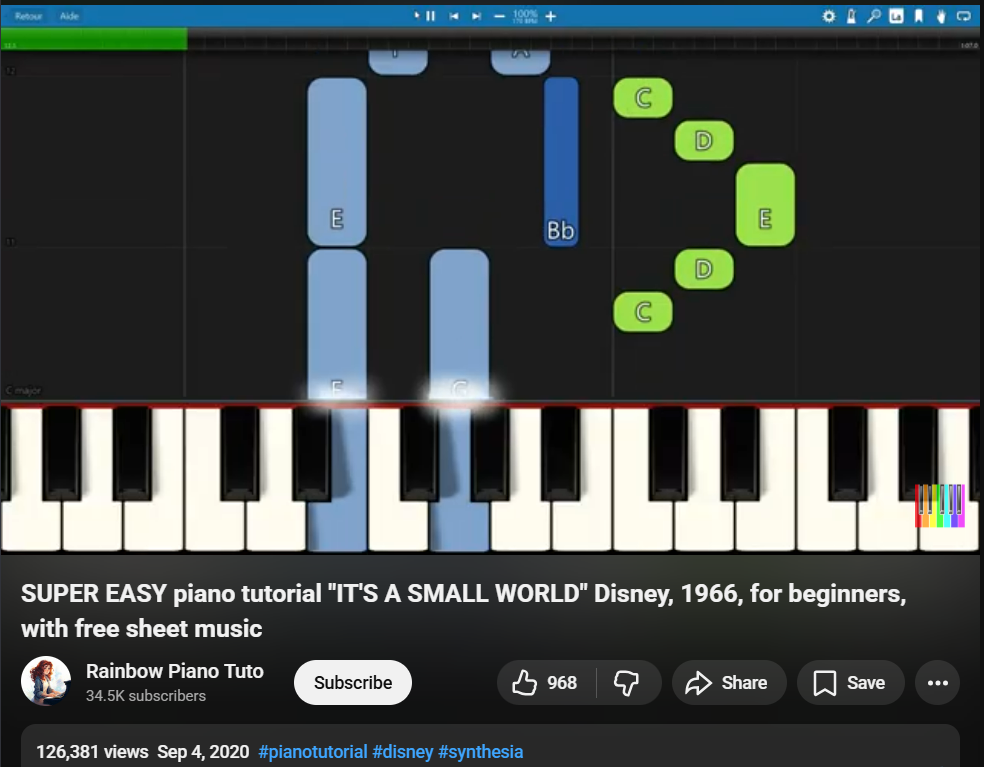
As I have no knowledge on music, I decided to reference a piano tutorial on YouTube where they display the upcoming notes as falling blocks that correspond to the keys on the piano. This type of visual learning interface is often used by a software called Synthesia.
So I tried matching the “visual blocks” of the song with the dots on the Chrome Song Maker to almost match the tune. It was hard to do it as the Song Maker is very toned down to create simple tunes.
The process
Since in the tutorial video the music blocks appear gradually and move across the screen, I couldn’t see the full song structure at once. I needed this to be solved and to work around this, I took multiple screenshots every time new note blocks appeared in the video.
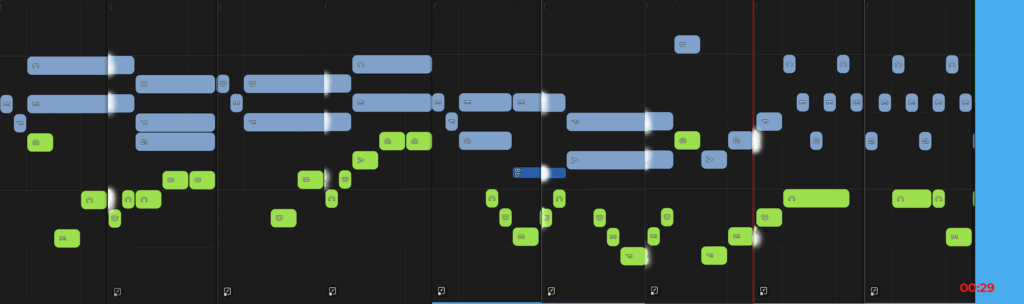
After that, I stitched all the screenshots together to form one complete visual layout of the song, almost like building a full music sheet from small pieces. (Note this ‘music sheets’ only contains visual blocks and not any musical notes)
After combining all the screenshots it helped me to understand the timing and flow of the notes across the entire track. I then used this as a reference to manually recreate the same pattern in Chrome Music Lab’s Song Maker, placing each note block to match what I had mapped out. I was surprised that it turned out very well considering that I was simply relying on the visual pattern and the tune it produced.
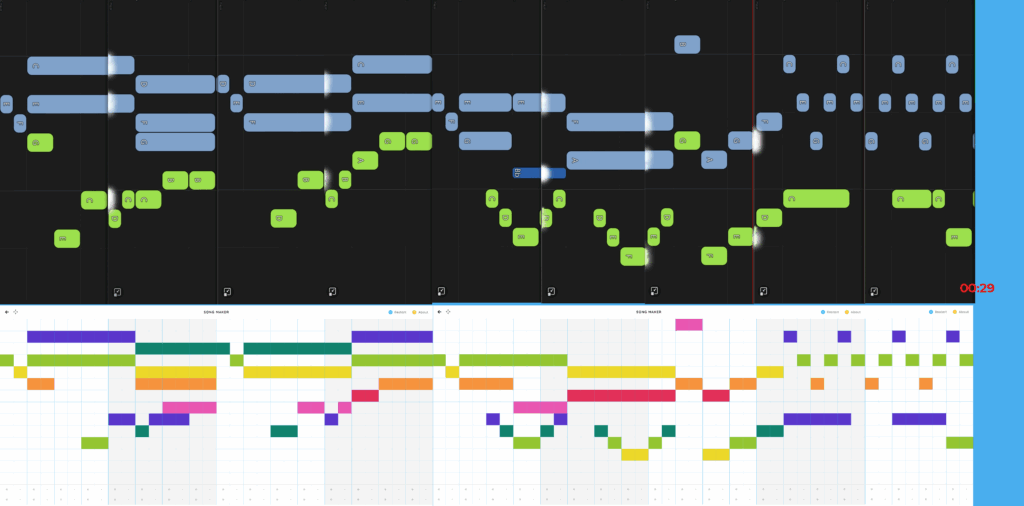
Final Outcome
Learnings
It was honestly harder than it looked, as I tried to match the beats together. And I guess it sounded similar? I also found out that you can tinker around with the length, beats per bar, scale, range etc. So, I had fun tuning it to sound different every time. It is a simple tool where all you need is a little creativity and mindset to have lots of fun.
Playing with Music Lab was fun that I even showed my little sister. She has now started creating her own tunes!
As usual stay curious as to what’s coming next on my journey at ATL Tinkerpreneur. 🙂